


Puzzles for Kids - Full game
4.03.00 Reviews
App Specs
- Version
- 5.9.3
- Updated On
- License
- $4.99
- Downloads
- 10,000+
- Developer
- CLEVERBIT
- Categories
- Educational
- Platform
- Android
Screenshots


 Analysis by AppCompare
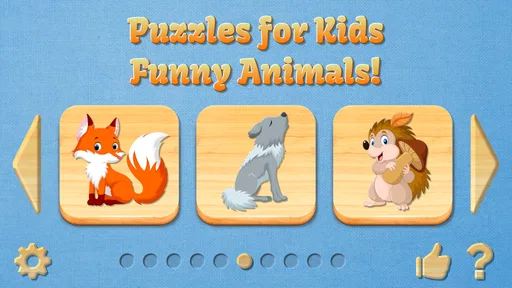
When I first opened Puzzles for Kids - Full game, the appeal was immediate: colorful animal pictures, simple puzzle play, and very little getting in the way of a child starting independently. It is an educational game from CLEVERBIT, aimed at Everyone, and its central idea is easy to understand even for a young player who cannot read much yet. I found it most convincing as a calm, focused activity for short sessions rather than as a complete learning platform.
The full version costs $4.99 and includes the animals without advertising interruptions. That changes the experience more than the price alone suggests. A child can concentrate on the picture instead of waiting for a banner to disappear or accidentally touching something unrelated. For parents, that makes it easier to hand over the device for a few minutes without constantly supervising every tap.
Why the first week feels rewarding
I find the first week most rewarding when I treat each puzzle as a chance to notice, not just a task to finish. Sitting nearby and asking a child to explain how they chose a piece can reveal whether the activity is building patience or simply relying on the pictures’ initial appeal. That distinction helps set realistic expectations as the game becomes familiar.
A gentle starting point for young players
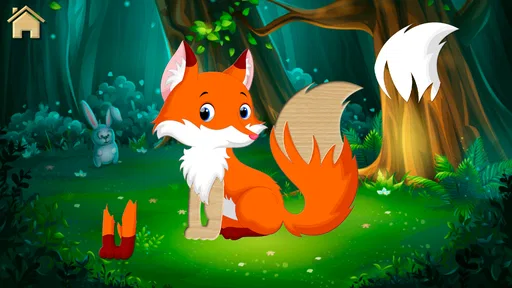
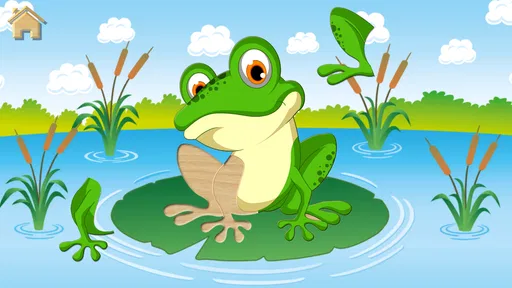
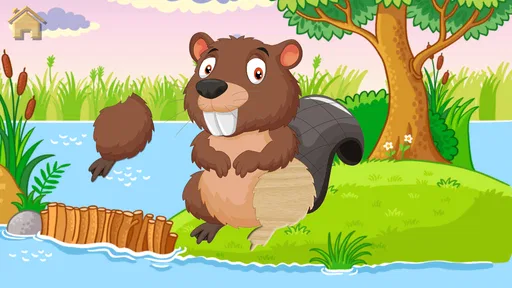
The first sessions work because the goal is visible. The child sees an animal image, moves pieces into place, and receives the satisfaction of seeing the picture become complete. There is no complicated menu to learn before playing. That simplicity is a genuine strength for preschoolers or children who become frustrated by games with too many rules.
I also like that the subject matter gives the activity a natural conversation point. After a puzzle, an adult can ask what animal appeared, what sound it might make, or where it lives. The game itself should not be treated as a full lesson, but the pictures can easily become prompts for vocabulary and observation. This is where it fits better than a purely passive video.
During the first week, the no-ads design is especially helpful. Young children often interpret every screen change as part of the game, so an advertisement can break both concentration and trust. Here, the paid format keeps the experience more focused. The trade-off is clear: families who only want a tiny occasional distraction may prefer a free alternative, while families who expect regular use may find the one-time purchase easier to live with.
What a realistic everyday session looks like
A practical use case is the transition between activities. I can imagine using it while waiting at a medical appointment, during a quiet period before bedtime, or while one child is finishing a task and another needs something peaceful to do. A session does not require a long explanation, and the child can stop after completing a picture rather than being pulled into an endless sequence.
Worth Reading Before You Choose

Flipboard Shows What News Apps Must Do Beyond the Feed

Switching to Android Auto Means Rethinking Your Driving Routine

Google Calendar Makes a Crowded Week Easier to Manage

Ludo King Makes the Most of the Minutes Between Plans

Baby Panda World Brings Quick Play to Modern Phones, but Its Game Library Feels Busy

ESPN’s Live Game View Makes Following Close Games Easier
For the best result, I would sit with the child during the first few attempts, not because the controls are intimidating, but because the adult can turn matching pieces into a small learning exercise. Asking the child to find an edge, notice a color, or name an animal makes the same puzzle more valuable than simply completing it as quickly as possible.
One useful habit is to avoid presenting it as a reward that must always be earned. If every session follows a difficult task, the game can become associated with negotiation rather than curiosity. Short, predictable play at a regular quiet moment gives it a better chance of becoming a useful routine.
What the early experience does not provide
The simplicity that makes the opening accessible also limits the depth. This is not a reading course, a science curriculum, or a broad collection of academic exercises. The educational value comes mainly from visual recognition, hand-eye coordination, attention, and the conversations an adult adds around the pictures.
That distinction matters when comparing it with larger children’s learning apps. A subscription-based educational platform may offer stories, numbers, letters, progress paths, and several types of activities. This game is narrower. Its advantage is that a child can understand it quickly; its weakness is that it may not satisfy a family searching for structured development across many subjects.
Whether it keeps its place after the novelty fades
Once the animal pictures feel familiar, I would judge the game by whether a child still chooses it among other quiet activities, rather than by how often they open it. A small change in routine—such as saving it for a waiting room or a calm transition—can preserve its usefulness without making it the default screen. That leads naturally to the question of how much effort it takes to keep the game worthwhile.
The month-to-month value depends on the child
After the first excitement wears off, the lasting value comes from how the child uses the puzzles. Some children enjoy repeating familiar visual tasks and become more careful each time. Others want constant novelty and may move on once they have seen the available animal pictures. I would not buy it expecting unlimited replay for every personality.
The full unlock is more meaningful for a child who returns to the game periodically. Having the complete collection available avoids the feeling that the child is being stopped just as interest begins. It also makes the game more suitable for shared use by siblings, although different ages may not find the same level of challenge equally engaging.
At home, I would keep it available as one choice among several activities rather than leaving it as the default screen. Rotating it with drawing, physical toys, books, or outdoor play helps preserve its appeal. This is not a criticism unique to this title; puzzle repetition naturally loses impact when it is used continuously without variety.
Three ways to extend its usefulness
Use the completed image as a speaking prompt. Ask the child to describe colors, shapes, size, or movement instead of ending the activity the moment the puzzle is finished.
Change the adult’s role over time. At first, demonstrate how to look for matching edges. Later, stay nearby but let the child explain the strategy. This turns repeated play into practice with independence.
Make short sessions intentional. A few focused minutes before a transition can be more productive than leaving the game open for a long, unfocused stretch.
These approaches do not add hidden modes or claim features the game does not advertise. They simply make better use of the activity that is already there. In my experience, the strongest recurring value comes from the interaction around the puzzle, not from expecting the application alone to keep teaching something new forever.
How it compares with ordinary alternatives
Compared with a physical jigsaw puzzle, the digital version is cleaner, easier to carry, and less likely to lose pieces. It also removes the need for a table and makes it convenient for travel or waiting rooms. A physical puzzle, however, offers a more tangible sense of space and can encourage two-handed manipulation in a way a touchscreen cannot fully reproduce.
Compared with free puzzle apps, this version’s clearest advantage is the absence of advertising and the fact that the animal collection is unlocked in the full game. Free apps may be cheaper to try, but interruptions can be poorly suited to young children. Families should decide whether avoiding those interruptions is worth the purchase price.
Compared with videos, this game asks the child to make decisions and complete an action. It is still screen time, but it is more participatory. Compared with advanced educational suites, it is much less comprehensive. I would choose it for a simple, low-pressure puzzle routine, not as the only digital learning tool in a child’s day.
Maintenance, fatigue, and the long-term decision
For me, the long-term decision is less about managing the app and more about noticing when a child needs a different kind of challenge. Keeping sessions brief and pairing puzzles with conversation can extend their value, while a child who wants rising difficulty may be better served elsewhere. The next section weighs that practical upkeep against the signs that interest has run its course.
The maintenance burden is pleasantly small
One reason I can see this game surviving beyond its first week is that it does not demand much management from the adult. There are no advertising breaks to monitor, no complicated lesson plan to organize, and no need to explain a detailed scoring system before play. The current version is 5.9.3, and the game supports devices running Android 7.1 or later, which is useful for families using an older compatible device rather than a brand-new phone or tablet.
The main maintenance task is not technical; it is choosing when and how the child uses it. Keeping the game in a shared children’s folder, setting a clear stopping point, and occasionally playing alongside the child will do more for its usefulness than repeatedly searching for new settings. Parents who want detailed progress reports or a formal curriculum may find this light-touch design too limited.
Because there are no ads in the full app, the adult also has less cleanup to do after handing over the device. That does not remove the need for normal screen-time boundaries, but it reduces the chance that a child will wander into unrelated promotional content during a puzzle.
Where fatigue can appear
The biggest source of fatigue is repetition. Once a child has mastered the visual routine, completing another similar puzzle may stop feeling like discovery. The animal theme helps, but it cannot guarantee long-term interest for a child who needs changing rules, increasing difficulty, or a stronger sense of progression.
A second issue is the narrow educational range. If a parent expects the game to build reading, counting, or factual knowledge on its own, the experience may feel underpowered after the initial charm. I would use it alongside picture books and hands-on play, especially if the child is ready for more demanding tasks.
A third consideration is age fit. The Everyone rating makes it broadly appropriate from a content perspective, but suitability is not the same as challenge. An older child may find the puzzles too easy, while a very young child may still need help with touch accuracy. The best match is a child who enjoys visual matching and benefits from a straightforward activity.
Who should buy it, and who should skip it?
I would recommend it to parents looking for a quiet animal-themed puzzle game with the complete experience available from the start and no advertisements interrupting play. It is also a sensible choice for travel, waiting situations, or a short daily routine where ease matters more than a large number of subjects.
I would be more cautious if you are buying for a child who quickly abandons repeated activities, demands competitive goals, or needs steadily rising difficulty. I would also skip it as a primary educational purchase if your priority is literacy, mathematics, language instruction, or detailed progress tracking. A broader learning app, a physical puzzle collection, or a book-based activity may serve those needs better.
The game has been available since December 5, 2017, and its continued presence is consistent with its straightforward purpose rather than with constant reinvention. Its average rating is 4.0 from around 189 ratings, with 3 written reviews, and it has passed 10K+ installs. Those figures suggest a modest audience rather than a universal children’s essential, so I would treat the purchase as a targeted fit instead of assuming every family will want it.
My long-term verdict
After the novelty fades, the lasting value comes from focused repetition and shared conversation, not endless content. That is both the game’s honest strength and its main limitation. It earns a place on a child’s device when the family wants a simple, ad-free puzzle activity that can be used in short bursts and extended through adult interaction.
I appreciate that the full game keeps the experience uncomplicated. The $4.99 price is reasonable for families who expect to return to it, particularly because the animals are unlocked and advertisements are removed. For a child who enjoys matching pictures, the low barrier to entry is a real advantage.
My final recommendation is therefore selective but positive. I would choose it for a preschool-age puzzle fan, a quiet travel kit, or a parent who wants a small educational game without the noise of a larger platform. I would not present it as a complete learning solution or assume it will hold attention indefinitely. If that expectation is clear, Puzzles for Kids - Full game can remain a useful, low-maintenance part of a child’s activity rotation rather than a brief download forgotten after the first few plays.
Pros
- Simple puzzles help children practice logic and problem-solving skills.
- Bright visuals and friendly designs make the game appealing to young players.
- Short levels suit quick play sessions and help maintain attention.
- Intuitive controls are easy for children to learn without much assistance.
- Progressive challenges provide a gentle introduction to puzzle-solving.
Cons
- Some puzzles may feel too easy for older children.
- Limited variety can make repeated play less engaging over time.
- Younger children may still need help understanding certain objectives.
- The full version may require payment after trying the available content.
- Puzzle difficulty may not adapt precisely to every child's skill level.
FAQs for Puzzles for Kids - Full game
What is Puzzles for Kids - Full game?
Puzzles for Kids - Full game is a child-friendly puzzle app designed to introduce young players to simple jigsaw-style challenges. It typically combines colorful illustrations, easy-to-handle pieces, and straightforward gameplay so children can play with limited assistance. The full version is intended to provide access to the complete puzzle collection rather than only a restricted trial selection.
Is Puzzles for Kids - Full game suitable for young children?
The game is aimed primarily at children who are beginning to recognize shapes, pictures, and basic visual patterns. Its simple controls make it approachable for preschool and early-school-age players, although the best age depends on the child’s concentration and puzzle experience. Parents should review the store listing and available settings to confirm whether the content and difficulty are appropriate.
Does the game require an internet connection?
Puzzles for Kids - Full game may be playable offline after installation, which is useful for travel, waiting rooms, or limiting a child’s internet access. However, store verification, updates, advertising, optional purchases, or other external features may require a connection. Before relying on offline play, it is sensible to launch the game once while online and test the puzzles in airplane mode.
Are there advertisements or in-app purchases in the full version?
The word “Full” generally suggests that the app unlocks more content than a free or demo edition, but it does not automatically guarantee that every version is completely free of advertisements or additional purchases. Check the current Google Play or App Store description for pricing, ads, and in-app purchase information. Parents should also use device-level purchase restrictions before allowing children to play.
What should parents check before downloading Puzzles for Kids - Full game?
Before downloading, parents should verify the app’s age rating, developer information, privacy policy, permissions, supported Android or iOS version, and the amount of storage required. It is also worth checking recent reviews for reports about crashes, sound, controls, or locked content. Since children may use the device independently, parental controls and notification settings should be configured before handing over the phone or tablet.


